If you search for the most accurate mileage tracking app, you’ll see a lot of similar claims.
Every provider says their GPS tracking is accurate. Every provider talks about automatic trip capture. Every provider says they can help drivers spend less time on admin and more time doing their actual jobs.
Those things matter. But for field sales teams, accuracy is bigger than a GPS pin on a map.
A sales rep might leave home in the morning, visit three customers, drive across town for a lunch meeting, stop by another account in the afternoon, and then head home. By the end of the day, they may have driven more than 100 miles.
If the app records 99 miles instead of 100, that’s one kind of accuracy issue.
But what if the app captures the miles correctly and classifies a business trip as personal? What if finance reviews the trip months later and nobody can explain what the drive was for?
Those are accuracy issues too.
Several apps including MileIQ, TripLog, and Cardata offer highly accurate GPS tracking. But the bigger difference often isn't GPS precision itself. It's how each platform handles classification, corrections, reporting, and reimbursement management.
What Does Mileage Tracking Accuracy Actually Mean?
Most people think of mileage accuracy as a GPS question.
Did the app record the right route? Did it calculate the correct number of miles? Did it start and stop when it was supposed to?
That is the obvious part. But it is not the whole picture when it comes to mileage tracking accuracy.
A mileage record can be GPS-accurate and still create problems. If the trip is missing a business purpose, classified incorrectly, or difficult to verify later, the record may not be very useful for reimbursement.
That is especially important for field sales teams because their driving patterns are not always straight-forward.
A rep might visit multiple accounts in one day, make a last-minute stop, travel across territory lines, or mix business and personal driving in the same day.
In that environment, accuracy has a few layers. The app needs to capture the trip. It needs to classify the trip correctly. It needs to allow corrections when something goes wrong. And it needs to create documentation that supports the company's reimbursement process.
So rather than focusing only on which app tracks mileage most precisely, businesses should focus on which solution creates the most reliable, complete, and defensible mileage records.
Accuracy for Drivers vs. Accuracy for the IRS
Drivers and employers often look at accuracy differently. For a driver, accuracy usually means, "Did I get credit for the miles I drove?"
That's fair. If a sales rep drove to a customer meeting and the app missed the trip, they may lose reimbursement. If the app labels a business trip as personal, they may have to spend time fixing the record. If this happens often, employees start to lose trust in the program.
For the IRS, the question is different.
The IRS is not only looking at mileage totals. It is looking for substantiation. In plain English, that means the business needs records that show the trip was real, work-related, and properly documented.
A strong mileage record should show when the trip happened, where the employee traveled, how many miles were driven, and why the trip was for business. Without those details, even an accurate mileage number can become hard to defend under IRS mileage reimbursement rules.
This is where a basic mileage tracking app and a compliant reimbursement program start to separate.
A mileage app can help record miles. A reimbursement program needs to support the rules, documentation, review process, and payment structure around those miles.
Why Manual Mileage Logs Fall Apart
Manual mileage tracking sounds simple until people actually have to do it.
A rep finishes a busy week and opens a spreadsheet on Friday afternoon. They try to remember where they went on Monday, which route they took on Tuesday, whether Wednesday's lunch was with a customer, and how many miles they drove between two accounts on Thursday.
Most people are not going to remember all of that perfectly.
They estimate. They forget small trips. They enter the same address slightly differently each time. They may also delay submissions because mileage logs are not exactly the most exciting part of a sales job.
That does not mean drivers are intentionally misreporting. It's simply a symptom of manual tracking that depends too much on human memory.
For companies, those small errors can pile up. Hundreds of incomplete or inconsistent logs across a field sales team become a compliance, cost, and administrative issue.
Automated mileage capture helps by recording trips closer to when they actually happen. That makes the record more reliable and saves employees from rebuilding their week from memory.
Why Automatic GPS Capture Matters
Automatic GPS mileage capture is helpful because it removes a lot of the manual work from the driver.
Instead of asking employees to start and stop every trip by hand, automatic tracking can capture business travel as it happens. This is especially useful for field sales teams because their days can change quickly.
A rep may plan to visit two accounts and end up visiting five. They may add a stop because a customer cancels or a prospect becomes available. When the workday is that fluid, mileage tracking needs to fit into the flow of the day.
A mileage tracking app needs to support real driving behavior, not just ideal driving behavior.
And the impact goes beyond convenience. Internal Cardata data shows that mileage submissions drop by 25% when employees use accurate mileage capture software, reducing missed trips, eliminating many overclaims, and improving the completeness of reimbursement records.
This highlights how automatic capture helps create more reliable mileage data while reducing the administrative burden on drivers.
What Happens When a Trip Gets Missed?
Even strong GPS tracking systems occasionally miss trips due to device settings, connectivity issues, or user behavior.
A phone battery dies. Location permissions get turned off. A signal drops. Someone forgets to turn on tracking before heading to a customer meeting.
The goal is not to eliminate the possibility of missed trips. Missed trips can and will happen, regardless of how good the mileage tracking app.
The real question is what the app does when they happen.
If the only option is for a driver to guess the mileage later, the company is back to relying on memory. That weakens the record.
A good mileage tracking app helps solve this problem by allowing drivers to add trips manually using point-to-point additions. This gives employees a structured way to account for mileage that was not captured automatically.
That is important for both sides. The driver has a way to recover missing business mileage, and the company has a more consistent process for handling exceptions.
Trip Classification Matters as Much as Mileage
Mileage accuracy is also about whether the trip is classified correctly.
This is a common issue for field sales teams because business use vs personal use can happen close together. A rep may drive from home to a customer meeting, stop for a personal errand, visit another account, and then drive home.
If a business trip is marked personal, the driver may be underpaid. If personal mileage is marked business, the company may overpay and create compliance concerns.
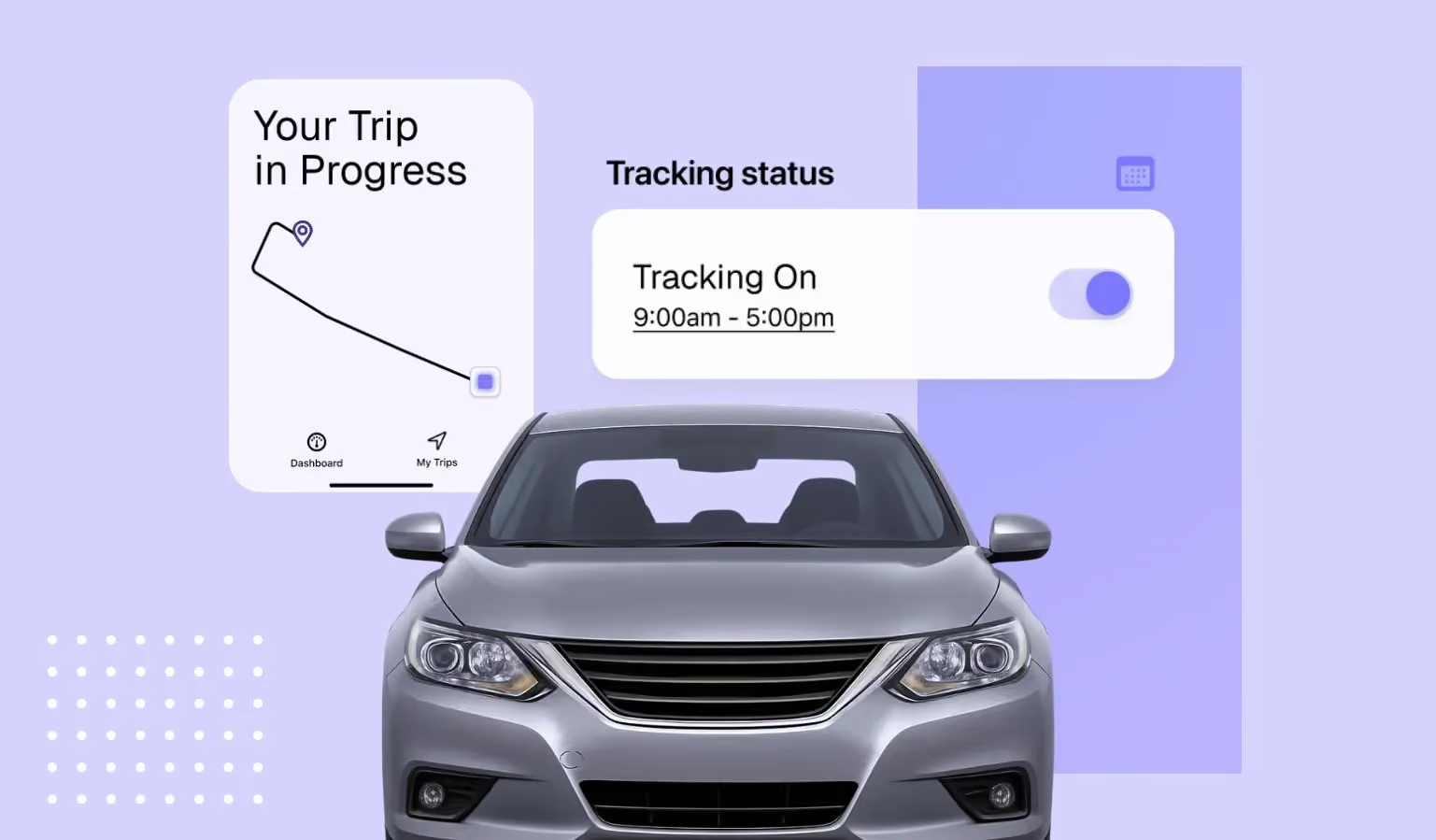
The right mileage tracking app helps drivers differentiate business and personal trips according to a preset, flexible work schedule. It also gives drivers visibility into policies, payments, compliance status, and commute deductions inside the app.
This matters because good mileage tracking should not force drivers to become reimbursement experts. The system should make the right action easy and visible.
How Disputed Trips Get Resolved
Disputed mileage happens.
A driver may believe a trip was missed. A manager may question a mileage spike. Finance may need to understand why a reimbursement looks higher than normal.
Without good data, these conversations can become frustrating quickly. The driver is working from memory. The manager is working from a report. Finance is trying to protect the business.
A better mileage system gives everyone more context.
GPS-based records can show route information, trip timing, start and stop points, and mileage calculations. That makes it easier to review what happened without turning every question into a back-and-forth email chain.
This is one of the reasons auditability matters. A good system does not just store mileage totals. It helps explain the story behind the mileage.
GPS Trails, Point-to-Point Validation, and Anomaly Detection
GPS tracking is useful, but GPS data alone is not always enough.
For an enterprise field sales team, administrators often need to understand whether mileage patterns make sense. Did a driver's mileage suddenly jump this month? Is a route outside their normal territory? Are there duplicate trips? Are manual adjustments becoming more common?
These questions are not about catching people doing something wrong. They are about keeping the program accurate, fair, and consistent.
Larger organizations often supplement mileage tracking with reporting and analytics tools that help identify unusual patterns, manual adjustments, or compliance concerns.
Cardata Intelligence is one example of this type of reporting platform.
Rather than simply storing trip data, Cardata Intelligence adds another layer of visibility through reporting, AI-powered insights, custom dashboards, alerts, and anomaly detection. This gives finance, HR, fleet, and operations leaders a clearer view of reimbursement activity and helps them identify trends that may warrant a closer look.
For a large field sales team, that kind of visibility can make a meaningful difference. Instead of reviewing every record manually, administrators can focus attention where something looks unusual.
Mileage Tracking App vs. Mileage Reimbursement Program
This is one of the biggest distinctions businesses miss when evaluating mileage solutions.
A mileage tracking app answers a relatively simple question: how many miles were driven?
A reimbursement program answers a much broader one: how should those miles be documented, reviewed, reimbursed, and managed?
Let's compare both:
For an independent contractor or a small business, a mileage log might be enough. The primary goal is often keeping a record of business travel and calculating mileage totals.
Field sales organizations typically have more moving parts.
Mileage data needs to flow into reimbursement calculations. Managers may need approval workflows. Finance teams need visibility into costs and documentation. HR and operations teams may be responsible for maintaining policies and supporting drivers.
As organizations grow, the conversation often shifts from mileage tracking alone to overall program management. Questions around compliance, reporting, auditability, exception handling, and driver support become just as important as GPS accuracy.
That's why many larger organizations evaluate mileage tracking as one component of choosing a mileage reimbursement program rather than as a standalone tool. The goal is to create a process for managing business driving that is accurate, fair, and easy to administer.
Where MileIQ, TripLog, Everlance, and Cardata Fit
Mileage tracking software isn't one-size-fits-all. The right solution often depends on what a business is trying to accomplish.
Some organizations simply need a way to automatically capture business mileage and maintain accurate records. Others are looking for additional tools to support reimbursement administration, reporting, compliance and risk management, or broader vehicle program management.
That's why it can be helpful to look beyond GPS tracking accuracy alone and consider the broader capabilities each platform offers.
For individual users and small businesses, tools like MileIQ, TripLog, and Everlance can provide a straightforward way to track mileage and generate reports.
For larger organizations managing reimbursement programs across multiple employees, additional features like compliance oversight, reimbursement administration, insurance verification, and managed services may become much more important.
So, What's the Most Accurate GPS Mileage Tracking App?
The most accurate GPS mileage tracking app for field sales teams is the one that creates the most reliable reimbursement record.
That means GPS precision matters, but it is only one part of the answer.
The app should capture trips automatically, make it easy to correct missed mileage, help classify business and personal travel, support review workflows, and give administrators visibility into unusual patterns.
For a field sales team, accuracy is not just about whether the app knows where the driver went. It is about whether the business can trust the record later.
That is why Cardata's approach is built around both mileage capture and reimbursement program management.
The goal is not just to track miles. The goal is to help businesses reimburse drivers fairly, reduce manual work, and maintain records that support tax-free, compliant reimbursement programs.
Talk to Cardata